How to Set Up Proof of Delivery Tracking for Every Stop on US Routes
Drafted with AI assistance, edited and fact-checked by Sean Flannery. See our editorial policy.
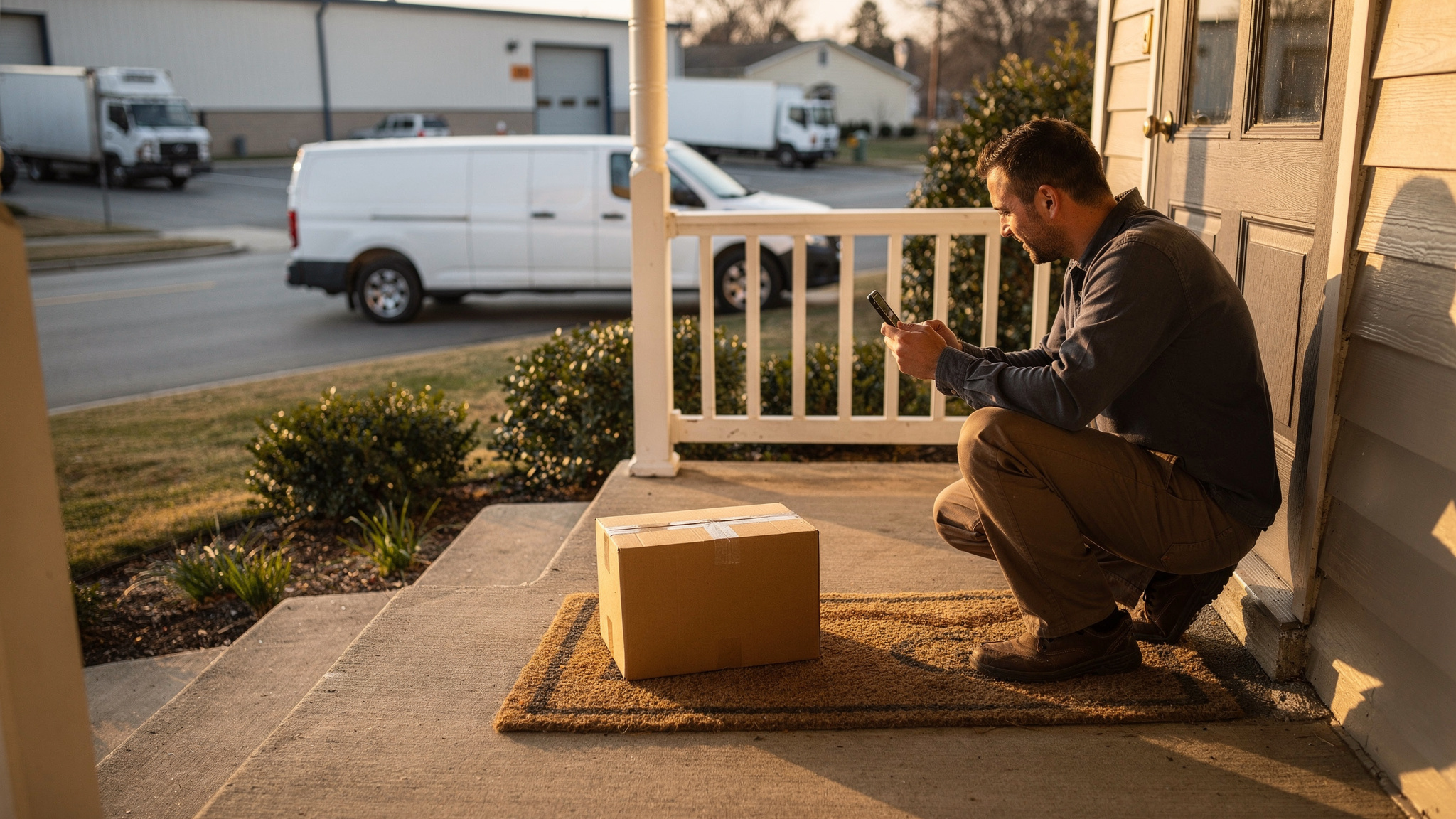
Proof of delivery tracking captures evidence at every stop: a timestamp, a GPS location, a photo and, where needed, a signature. That evidence is stored against the order so dispatchers and customer service can pull it up later. Locate2u captures photos, signatures, timestamps and location data for each delivery and shares live tracking links with customers.
The volume behind those records is large. The U.S. Census Bureau estimates US retail e-commerce sales for the second quarter of 2026 at US$340.2 billion, seasonally adjusted, up 3.8% from the first quarter. E-commerce accounted for 17.1 percent of total retail sales in that quarter.
Each of those online orders ends at a handoff someone may want to confirm later, and a single route can mix attended doorsteps, unattended porches, loading docks and job site gates. Setting the evidence for each stop type once, in the stop instructions, gives every driver the same clear routine at every kind of stop.
What proof of delivery tracking records at every stop
A useful delivery record answers four questions about the handoff: when, where, what and who.
- When: a timestamp saved as the driver completes the stop.
- Where: the GPS location of the driver's device at that moment.
- What: a photo showing the goods, where they were left and the condition they arrived in.
- Who: a signature, for stops where a person accepts the delivery.
Each piece is attached to the order. Anyone checking a delivery sees one complete record instead of four separate clues.
Confirming deliveries has always been part of the job. The Bureau of Labor Statistics lists "Handle paperwork, such as receipts or delivery confirmation notices" as a typical duty of delivery truck drivers and driver/sales workers.
Digital proof turns that paperwork into a short step on the driver's phone. With Locate2u, drivers capture the photo and signature at the stop, and the timestamp and location data are recorded with the delivery.
New to the term? The explainer on what proof of delivery means covers the basics before you set anything up.
How to match photos, signatures and GPS to each type of drop-off
Timestamp and GPS location belong on every stop. They add no extra work for the driver, since they are recorded as the stop is completed.
Photos and signatures are where the routine should change with the stop. Matching the evidence to the drop-off keeps stops quick and makes each record show what matters.
Attended home delivery. Take a signature from the person receiving, plus a photo of the goods at the door.
Unattended porch or doorstep. Skip the signature. Take one placement photo framed wide enough to show the house number, door or mailbox alongside the package.
Business, loading dock or job site. Get a signature from the receiving contact and photograph the full load once it is unloaded, so item count and placement are visible.
Rural drops follow the porch pattern, with one addition: a short note describing the exact drop spot.
Decide these rules per customer or order type before the route goes out, and write them into the stop instructions. A driver arriving at a gate late in the afternoon then follows a clear rule instead of making a judgment call.
How a building supplies company used photo proof and live tracking to build customer confidence
Franz Building Supplies delivers heavy and bulky building materials to construction sites, builders and trade professionals. Its customers rely on timely, accurate deliveries to keep projects on schedule.
Franz Building Supplies' case study reports that the team wanted better visibility into its delivery operations and a reliable way to show that deliveries were completed correctly.
A clear record of what was delivered, when and where gives the team and its customers one shared set of facts to check any order against.
The business also wanted to give its drivers a clear, simple routine at every stop, give management clear visibility of each day's deliveries, and lift the customer experience.
Franz Building Supplies implemented Locate2u's proof of delivery system, which captures photo evidence, signatures and timestamps for every delivery. Drivers photograph each delivery on site, creating a record that both the company and the customer can reference.
The team also began sharing live tracking links with customers, giving them real-time visibility into when their deliveries would arrive. The case study credits that transparency with setting clear expectations and removing the guesswork.
The result, in the business's own words: "Our customer disputes dropped to nearly zero."
That is one business's result, measured its own way. The setup behind it pairs two things: a live tracking link before arrival and a photo at every drop.
Capturing clear proof on long rural and suburban routes
Long routes reward getting each stop right the first time. According to MIT Sloan Management Review, last-mile expenses can account for up to 53% of total supply chain costs, as failed deliveries and higher fuel, vehicle and labor costs strain the system.
On a rural run where the next stop is miles away, a return trip to one address is expensive. Clear drop-spot information and clear proof are worth planning for before the route leaves the yard.
Rural stops have their own landmarks: long driveways, farm gates, mailbox posts at the road. The GPS pin can show the vehicle at the end of a driveway while the package sits at the house.
The photo closes that gap. Frame it to show the package and a fixed landmark nearby, such as the front step, a gate or a numbered mailbox.
Suburban routes bring a different detail. Rows of similar houses and cul-de-sacs make the house number the most valuable thing in the frame.
Three habits help on both kinds of route:
- Save each customer's preferred drop spot as a note on their address, so the next driver finds it straight away.
- Confirm during setup how your driver app handles photos taken where cell signal drops, since long rural stretches can have patchy reception.
- Add a second photo when the drop spot is out of sight from the road, so customer service can describe exactly where to look.
Each habit puts local knowledge into the record, where the whole team can use it on every future visit.
Keeping delivery photos useful through snow and rain season
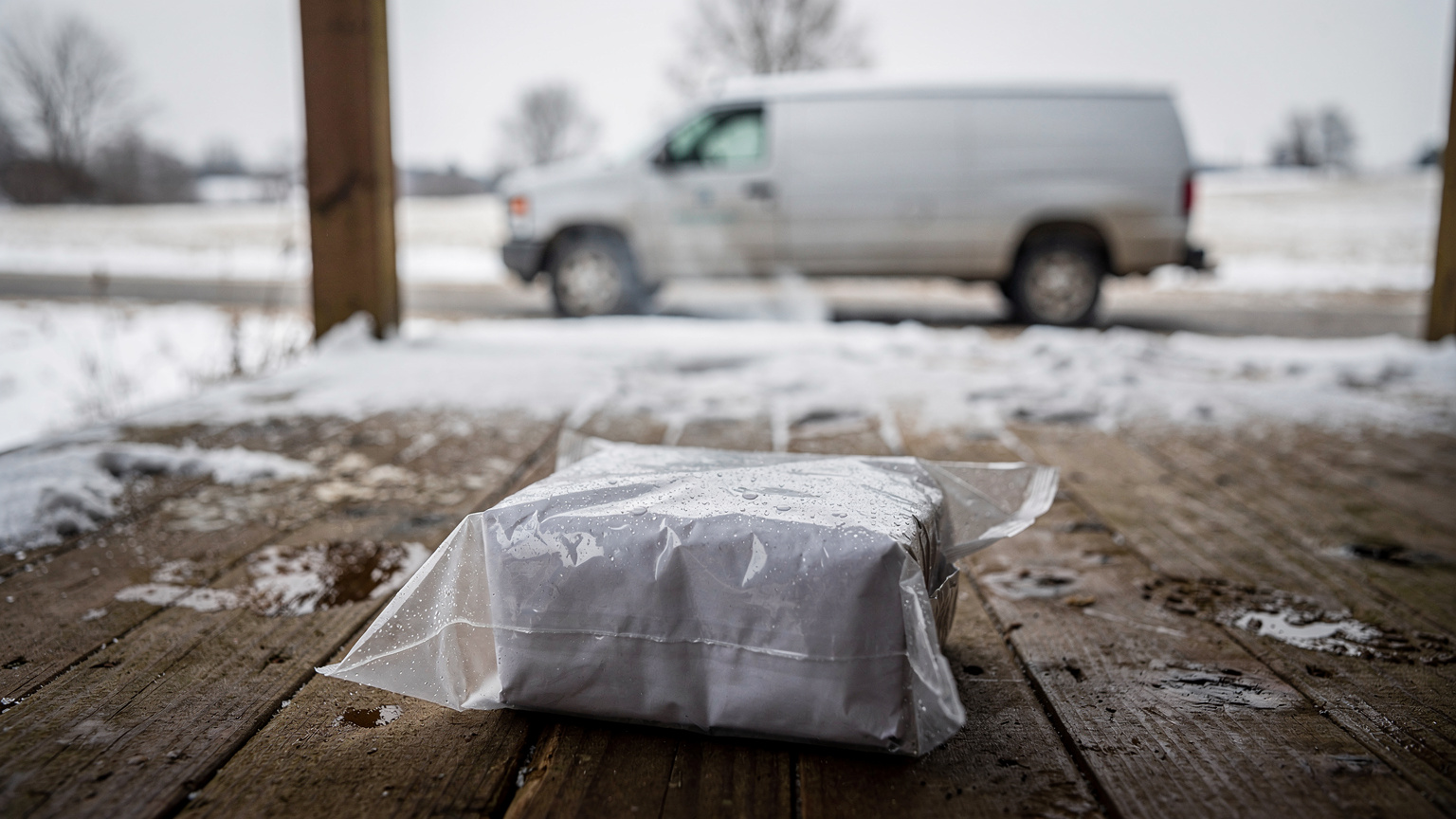
Snow is a routine part of the US delivery map. The Federal Highway Administration says over 70 percent of the nation's roads are in snowy regions that receive more than five inches of average snowfall a year.
So a photo routine that works on a clear July afternoon needs a winter version before the first storm.
Place parcels under cover where the customer allows it, then make the cover visible in the shot: the porch roof, the inside of a storm door, the garage step.
Wipe the camera lens before shooting. Snowflakes and raindrops on the lens blur a house number quickly, and a quick wipe keeps it sharp.
Use the flash at dusk. Winter afternoons get dark early, and late-route stops often happen in low light.
For goods that weather can affect, add a close-up of the packaging next to the placement shot. Together they show where the item was left and the condition it was left in.
Keep customers informed when roads slow the route. A live tracking link lets them see when the delivery will arrive, so they can be ready to bring it inside.
On rainy days, choose a spot clear of pooled water and roof drip lines, and frame the shot low enough to show the dry ground under the package.
Getting seasonal drivers confident with POD before the holiday peak
Holiday volume arrives fast. The National Retail Federation forecast US holiday retail sales for November and December 2025 at between US$1.01 trillion and US$1.02 trillion.
Peak volume often brings new and seasonal drivers onto routes. The best time to teach the proof routine is before the rush begins.
Training already covers this ground. The BLS notes that new-driver training covers company policies about package drop-offs and returns, taking payment and what to do with damaged goods.
A short onboarding plan helps new drivers feel confident from their first stop.
Walk through the app at the depot. Show one completed stop for each drop-off type in your rules, so new drivers see what a good photo looks like.
Practice on real stops. A ride-along on part of a route lets a new driver complete stops with an experienced colleague nearby.
Review the first day's photos together. Point out the shots that worked well and why, such as a sharp house number or a full load in frame.
Share a small set of strong examples at the start of each shift. Good examples teach faster than written rules.
The Locate2u driver app keeps the photo and signature steps at the stop itself, so the routine new drivers learn at the depot is the one they follow on the road.
How searchable delivery records help your team answer questions fast
Customer questions can arrive days after the stop. Where was it left? Did it arrive complete? What condition was it in?
Returns add to that flow. The National Retail Federation reports that retailers estimate 15.8% of their annual sales will be returned in 2025, totaling US$849.9 billion.
When a return or a delivery question reaches your team, the original delivery record is the first thing to check. A record that is quick to find lets the answer come straight from the evidence.
Set up retrieval around the way customer service already works. Questions come with an order number, a name, an address or a date, so make sure records can be found by each of those.
Keep the full record in one view: photo, signature, timestamp and GPS location together, next to the order details. A team member can then answer in one look.
Make it easy to share. Sending the customer the delivery photo can settle a where-is-it question on the spot.
Set a retention period too. Keeping each record at least as long as your returns window and your customer service query period means any question can be answered from the original evidence.
Because Locate2u stores the proof against the order, the record a driver creates at the stop is the one customer service opens later.
What to check when choosing a POD tracking tool
The clearest test of a proof of delivery tracking tool is one of your own route days. Use this checklist when you see a platform run on real stops.
| Check | What to look for |
|---|---|
| Evidence at every stop | Photo, signature, timestamp and GPS location captured on the driver's phone and saved to the order |
| Rules by stop type | A way to set a photo, a signature or both for a given customer or order type |
| Weak signal | Ask how photos and signatures taken without coverage are saved and when they upload |
| Retrieval | Records found by order number, customer name, address or date, with all evidence in one view |
| Customer visibility | A live tracking link before arrival and proof the customer can see afterward |
| Driver ease | A new driver can complete a stop on a test route without help |
| Pricing terms | Billing model, whether per user, per vehicle or per stop, plus contract length and any setup fees |
Locate2u combines proof at the stop with live tracking links customers can follow before arrival. Plan details are on the Locate2u pricing page.
Frequently asked questions
What is the difference between delivery tracking and proof of delivery?
Delivery tracking shows where the vehicle is and when it should arrive, before the handoff happens. Proof of delivery records what happened at the handoff itself, including the time, place, photo and signature, so the two work best together on one order record.
Does every stop need a signature?
No, timestamp and GPS location suit every stop, and a placement photo covers unattended drops. A signature adds the most where a person receives the goods, such as at a business or job site.
Can customers see the proof of delivery themselves?
Yes, if your platform shares it. Franz Building Supplies' case study describes a photo, signature and timestamp record that both the company and the customer can reference, alongside live tracking links shared before arrival.
How long should you keep proof of delivery records?
Keep each record at least as long as your returns window and your customer service query period, so any question can be answered from the original evidence. Customer contracts and industry record-keeping requirements can call for longer, so check your contract terms and confirm any formal requirement with the regulator for your sector.
A strong proof routine is simple: timestamp and GPS on every stop, a photo or signature matched to the drop-off, and records your team can find quickly. Start by writing your rules for each stop type, then see how Locate2u proof of delivery captures that evidence at the stop and keeps it with each order.